
Your party and queue, from the couch.
Gomly runs VALORANT on your PC from your phone. Invite friends, start matchmaking and pick your agent without getting up.
Free, no ads. Android only, for now.
Independent project. Not sponsored, endorsed or affiliated with Riot Games.
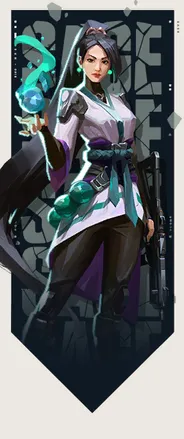







Pick your agent without going back to your PC
When a match pops, agent select opens on your phone after a five-second countdown. You see the agents you own and lock yours with a tap.
Tap an agent to see it.

Everything before the match
- Party
- Invite friends, share a code so they can join, kick whoever shouldn’t be there and mark yourself ready.
- Queue
Pick the mode, start matchmaking and cancel whenever you want, with your time in queue in plain sight.
 Competitive
 Swiftplay
 Spike Rush
 Team Deathmatch
- Friends
- See who’s online, invite them to your party and accept the invites you get.

Getting started
Install Gomly
Download the APK and open it. Android will ask permission to install apps from this source: that’s normal outside Google Play.
Sign in with Riot
Riot’s official page opens. Your password never goes through Gomly.
Open VALORANT on your PC
With the same account. Gomly finds the client on its own and shows you your party.
Questions
Does my PC need to be on?
Yes. Gomly is a remote control: it runs the VALORANT client you have open on your PC. It doesn’t play for you or replace it.
Is signing in safe?
You sign in on Riot’s official page, so your password never goes through Gomly. Your session is stored encrypted on our server and never leaves it.
I sign in to Riot with Google or Apple. Can I use it?
Riot doesn’t allow that sign-in inside an app, so you’ll need a Riot password. You can add one from your account page on the web.
Does it do anything on its own, like accepting matches or picking agents?
No. Every action is a tap of yours. And when a match is found, agent select opens after a countdown, so nobody locks an agent in the first second.
Is it on Google Play?
Not yet. In the meantime, you install it from this page.
Is there an iPhone version?
Android only, for now.
How do I delete my data?
Signing out in the app deletes it from our server right away. If you no longer have the app, you can also ask by email.